
The phrase AI expense tracker free sounds simple, but it hides an important truth: many tools promise AI and deliver little more than search, OCR, or automatic categories. A free tool can still be useful, but only if it reduces manual work without creating a correction burden later. Understanding what AI actually does in expense tracking is crucial for making the right choice.
What "AI" Should Mean in an Expense Tracker
In a practical product, AI should help with three jobs:
- Capture: read a receipt, statement, or merchant entry
- Classify: suggest the right category and learn from edits
- Summarize: highlight unusual spend, rising categories, and likely recurring charges
If the app only gives you a chart after you typed everything manually, it is not really saving you time. The key differentiator is whether the AI is doing the work or just displaying the work you've done.
What Free Users Should Expect in 2026
Free tiers have evolved significantly. Here's what's realistic to expect:
| Feature | Reasonable for free plans | Usually paid or limited |
|---|---|---|
| Manual expense tracking | Yes | No |
| Basic categorization | Yes | No |
| Receipt OCR | Limited scans | Unlimited scans |
| AI summaries | Sometimes capped | More depth and history |
| Export and advanced analytics | Basic | Detailed workflows |
| Recurring detection | Limited | Full automation |
The Best Free Setup Is Usually Hybrid
For many users, the best zero-cost or low-cost setup is not one magical app. It is a simple combination:
- Expense tracker: use a free tier that supports categories and recurring spend
- Receipt backup: use Google Drive scanning or a similar tool to store documents cleanly
- Weekly AI review: use a product that can summarize where money moved
The hybrid approach works because different tools excel at different tasks. No single app has perfected everything, so combining the best of each creates a powerful system without spending money.
How Essara Handles the Free-to-Pro Journey
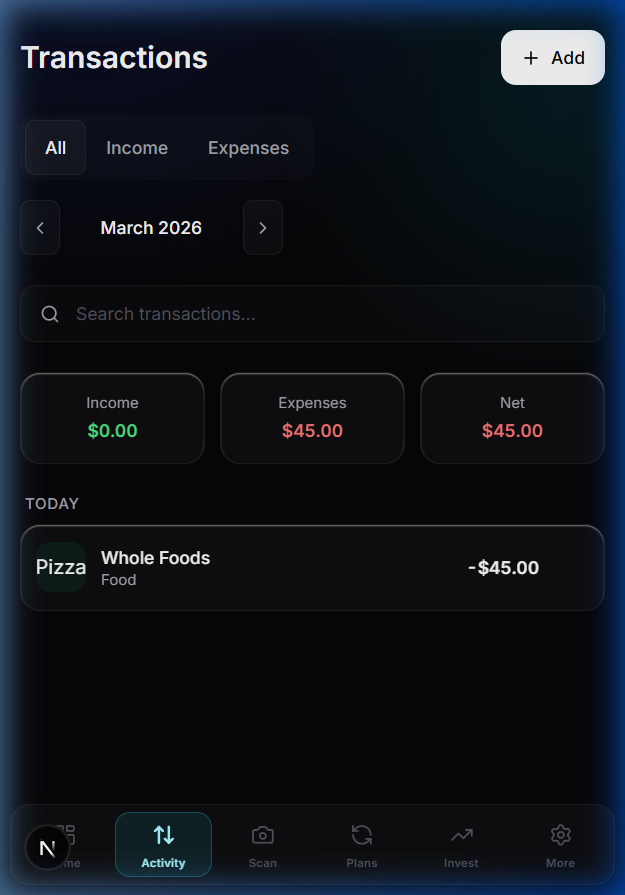
Essara is useful because it starts with practical tracking and adds AI where it matters most: receipts, recurring charge awareness, and better weekly decision support. For many people, that is a better experience than downloading a "free AI app" that produces shallow automation and lots of manual cleanup.
The key is that Essara's free tier actually delivers meaningful AI features. Receipt scanning works without a paywall for reasonable usage. Category suggestions learn from your corrections. Weekly summaries help you understand spending patterns without requiring manual analysis.
Use this checklist before you choose
- Accuracy over novelty: does it correctly categorize common merchants?
- Correction loop: can you fix mistakes quickly and teach the system?
- Recurring detection: can it spot repeat charges and subscriptions?
- Receipt support: can it turn documents into searchable entries? (See our guide on receipt scanning apps in India for more details).
- Exportability: can you keep your data if you upgrade later?
- Privacy: does the AI process your financial data securely?
Common Free AI Expense Tracker Options
Here's a practical look at what's available:
- Essara: Strong balance of tracking, receipt scanning, and subscription management with a genuinely useful free tier.
- Google Sheets with formulas: Fully free but requires manual setup and maintenance. Good for control enthusiasts.
- Mint (US-centric): Powerful but limited in India. Not ideal for Indian users.
- Wallet by B4X: Good for manual tracking with decent categorization.
A free AI expense tracker is valuable only when it removes work you were already doing by hand.
If you want a cleaner free starting point for expenses, subscriptions, and receipts without juggling separate tools, sign up for Essara and build from one dashboard.